UP Board 10th Result 2026 is one of the most awaited updates for lakhs of students across Uttar Pradesh. With nearly 29 lakh students appearing, the result is expected in April 2026. Here’s a complete, easy guide to check your result online, via SMS, or DigiLocker.
UP Board 10th Result 2026: Expected Date and Latest Update
The Uttar Pradesh Madhyamik Shiksha Parishad (UPMSP) is likely to release the Class 10 result in April 2026. Although the official confirmation is still awaited, previous trends strongly suggest a mid-to-late April announcement. Meanwhile, students are advised to keep their roll numbers ready to avoid last-minute confusion.
In 2026, approximately 29,47,311 students appeared for the UP Board Class 10 exams. Therefore, the evaluation process is extensive and requires time to ensure accuracy. However, once released, students can easily access their results through official portals.
Official Websites to Check UP Board 10th Result 2026
Students should always rely on official websites to avoid misinformation. Moreover, these platforms ensure accurate and timely updates. You can check your result on the following websites:
| Website Name | URL |
|---|---|
| UPMSP Official Website | upmsp.edu.in |
| UP Results Portal | upresults.upmsp.edu.in |
Additionally, during peak traffic hours, these websites may slow down. Therefore, students should stay patient and try refreshing the page after a few minutes.
How to Check UP Board 10th Result 2026 Online
Checking your result online is the most common and convenient method. Follow these simple steps carefully:
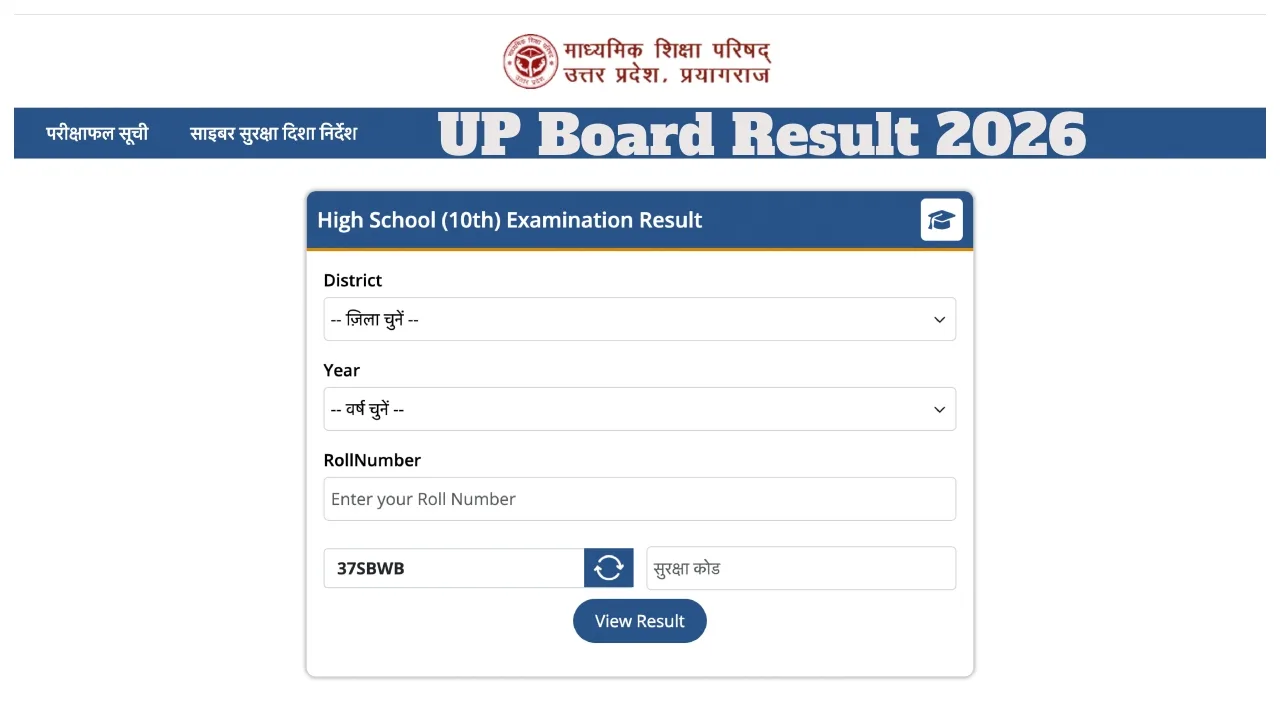
First, visit the official website upresults.upmsp.edu.in. Then, click on the “UP Board 10th Result 2026” link available on the homepage. After that, enter your roll number correctly and click on the submit button. Within seconds, your result will appear on the screen.
Finally, download your result and take a printout for future reference. This printed copy may be required during admissions or verification processes.
Check UP Board Class 10 Result 2026 via SMS
If the website is slow or not working, students can also check their results through SMS. This method is especially useful in areas with limited internet access.
Open your phone’s SMS application. Then type UP10Roll_Number (for example: UP101234567). After that, send the message to 56263. Shortly after, you will receive your result directly on your mobile phone.
Moreover, this method ensures quick access without depending on website traffic.
How to Download UP Board 10th Marksheet via DigiLocker
DigiLocker is another secure and reliable way to access your digital marksheet. In addition, it provides a government-verified copy that can be used for official purposes.
Visit digilocker.gov.in and log in using your Aadhaar number. Then, navigate to the “Class 10 Marksheet” section. Select “Uttar Pradesh Madhyamik Shiksha Parishad” from the list. After that, enter your roll number carefully. Your marksheet will instantly appear on the screen.
Furthermore, you can download and store it safely for future use.
How to Check UP Board 10th Result 2026 by Name
Sometimes, students may forget their roll numbers. In such cases, checking results by name becomes helpful. However, this option is available on third-party websites.
Visit IndiaResults.com and select “Uttar Pradesh” from the list. Then, click on the “UP Board 10th Result 2026” link. Enter the student’s name and submit the details. After that, choose the correct result by verifying parents’ names. Your result will be displayed on the screen.
However, always double-check details to ensure accuracy.
Details Mentioned on UP Board 10th Marksheet
Once you download your result, it is important to verify all the details mentioned on the marksheet. Any discrepancy should be reported immediately.
| Field | Description |
|---|---|
| Student’s Name | Name of the candidate |
| Parents’ Names | Father’s and Mother’s names |
| Roll Number | Unique exam roll number |
| Date of Birth | Student’s DOB |
| School Name & Code | Institution details |
| Subject-wise Marks | Marks obtained in each subject |
| Total Marks | Overall score |
Therefore, reviewing these details carefully helps avoid issues during future admissions.
UP Board 10th Exam 2026: Schedule Overview
The UP Board Class 10 exams began on February 18, 2026. The board conducted exams in two shifts daily to manage the large number of students.
| Shift | Timing |
|---|---|
| Morning Shift | 8:30 AM to 11:45 AM |
| Evening Shift | 2:00 PM to 5:15 PM |
Meanwhile, strict guidelines ensured smooth conduct across examination centers. Consequently, the evaluation process started shortly after exams concluded.
What to Do After Checking Your Result
After checking your result, students should first download and save a copy. Moreover, they should verify all personal and academic details carefully. If any errors are found, it is important to contact school authorities immediately.
Additionally, students should start planning their next academic steps, whether it is choosing a stream or preparing for competitive exams. Therefore, this result plays a crucial role in shaping future decisions.
Frequently Asked Questions
Q1. When will UP Board 10th Result 2026 be declared?
The result is expected to be announced in April 2026, based on previous trends.
Q2. How can I check my UP Board 10th result quickly?
You can check it online via official websites, through SMS, or using DigiLocker for instant access.
Q3. What if I forget my roll number?
In that case, you can check your result by name on third-party websites like IndiaResults.
Q4. Is DigiLocker marksheet valid for official use?
Yes, DigiLocker provides a government-verified digital marksheet that is valid for admissions and documentation.
Q5. What should I do if there is an error in my marksheet?
You should immediately contact your school or the UP Board authorities to get it corrected.
Q6. Can I check my result without internet?
Yes, you can check your result via SMS by sending your roll number to 56263.
Recommended:
- NCERT Answer Key 2026 Released Today, Download Now & Raise Objection Before Deadline
- CBSE Class 10 Result 2026: Best Stream Choice, Revaluation & Career Guide After 10th
- Haryana Police Constable PMT PST Date 2026 Out: Check HSSC Physical Test Schedule, Admit Card & Details
- DSSSB Various Post Result 2026 Out: Download Result PDF, Check Merit List & Cut Off
- Indian Airforce Agniveer Vayu Answer Key 2026 Out